How to Send, Receive and Swap Crypto (Without Costly Mistakes)
A plain-English guide to moving crypto safely in Australia, how to send, receive and swap, avoid the wrong-network mistake, understand gas fees and confirmations, and why every swap is a taxable event.
The short answer
Moving crypto around is simple in principle but unforgiving in practice - get a detail wrong and funds can be lost permanently, because crypto transactions can't be reversed. The essentials:
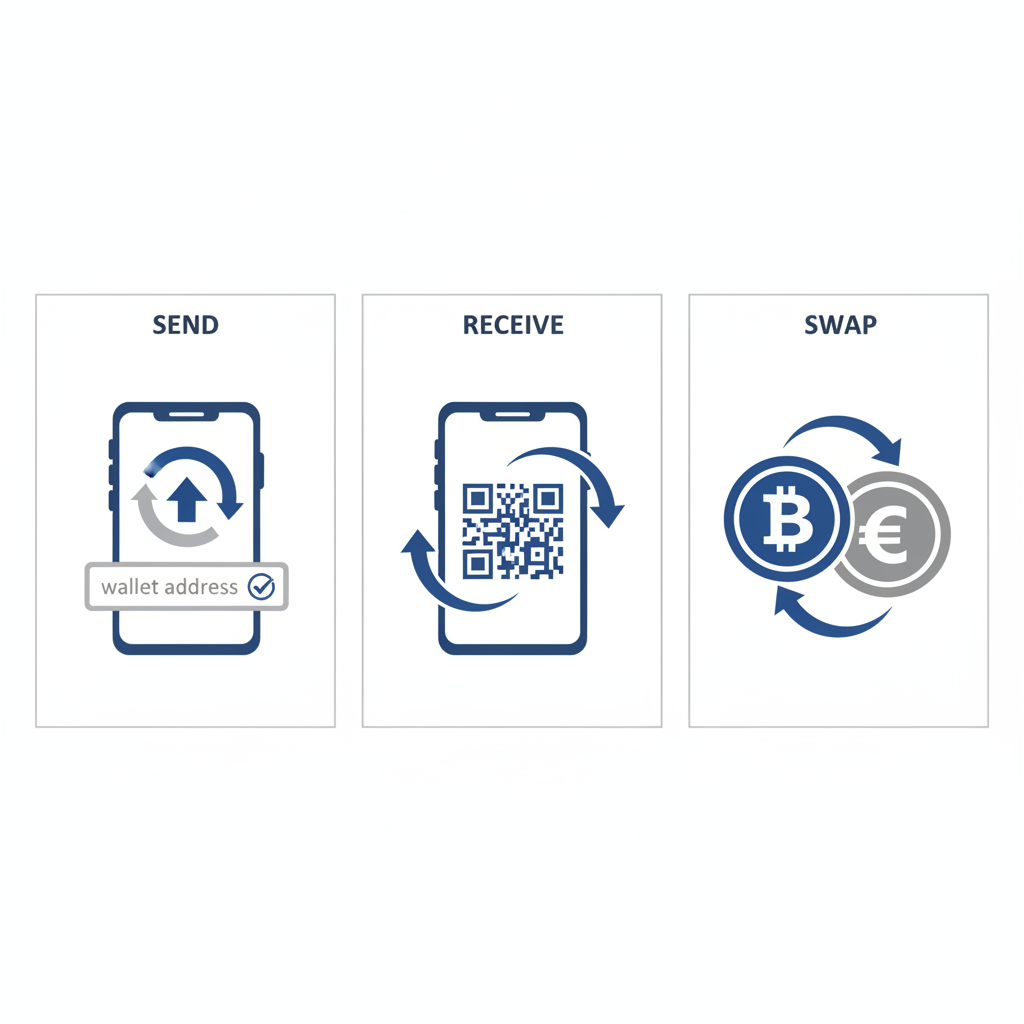
- To receive: share your wallet address (or QR code) for the correct network, and double-check it.
- To send: paste the recipient's address, confirm the network matches, account for the network fee (gas), and send a small test first for large amounts.
- To swap (exchange one crypto for another): use a reputable exchange or DEX, mind the slippage, and remember that in Australia a swap is a taxable event even though no dollars are involved.
The single most expensive beginner mistake is sending on the wrong network. Get the network right, verify the address, and test first - do that, and the rest is routine. Here's how.
Note: This is general educational information, not personal financial or tax advice. Crypto transactions are irreversible - there's no undo button and no help desk to recover a misdirected transfer. Take the verification steps seriously. For tax, see a registered tax agent; for personal advice, an ASIC-licensed adviser.
What you'll need
- A wallet or exchange account holding the crypto you want to move (see our guides on buying crypto and setting up a wallet).
- The recipient's address (if sending) - copied accurately, or scanned via QR.
- A small amount of the relevant crypto to cover the network fee.
- Two minutes to double-check the network and address before confirming.
Understanding the three building blocks
Before the steps, three concepts that make everything click:
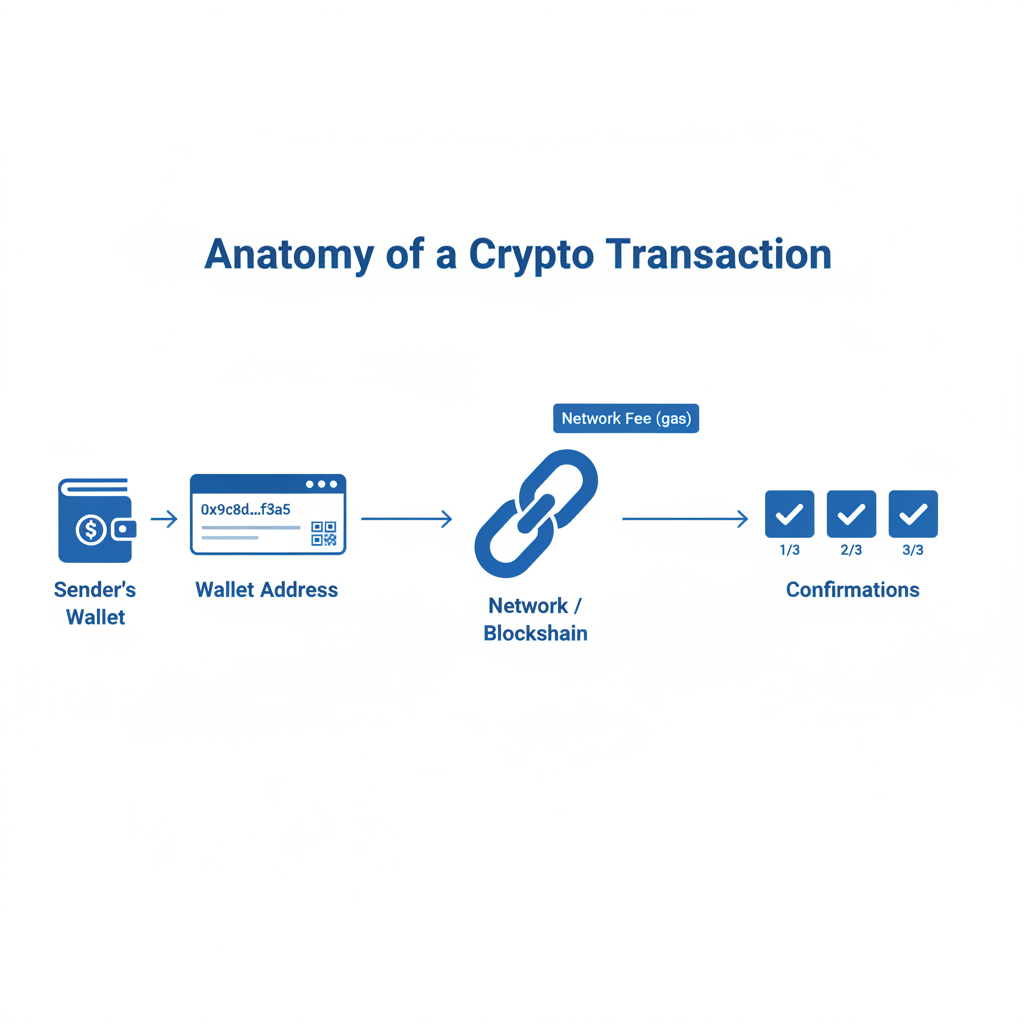
- Address: a long string of letters and numbers (often shown as a QR code) that identifies a wallet. You share it to receive; you paste the recipient's to send. It's safe to share an address publicly.
- Network (blockchain): crypto moves over a specific network - and the same asset can sometimes exist on different networks. Both sender and receiver must use the same network, or funds can be lost.
- Network fee (gas): a small fee paid to the network to process your transaction. It varies by network and congestion - some are fractions of a cent, others more.
How to receive crypto
Receiving is the lower-risk direction, but one detail still matters:
- Open your wallet or exchange and choose "Receive" (or "Deposit") for the specific asset.
- Select the correct network. If the platform asks which network, choose the one that matches where the funds are coming from. This is critical - the sender must send on the same network you're receiving on.
- Copy your address or show the QR code. Share it with the sender. Always copy it (or scan the QR); never type it by hand.
- Confirm the first and last characters match what the sender sees, as a final check.
- Wait for confirmations. The funds appear once the network confirms the transaction (see below).
Common mistake: giving the sender an address for the wrong network - for example, a deposit address on one chain when the funds are being sent on another. Match the network on both sides.
How to send crypto
Sending is where care pays off. Step by step:
- Open your wallet/exchange and choose "Send" for the asset.
- Paste the recipient's address - copy and paste, or scan the QR. Never type it manually, and beware malware that swaps a copied address (always verify after pasting).
- Select the matching network. Confirm it's the same network the recipient is expecting. This is the step that loses people money.
- Check the address carefully - verify the first and last few characters, and on a hardware wallet, confirm the address on the device's own screen.
- Review the network fee and the total. The fee is deducted to process the transaction.
- Send a small test amount first for any large or first-time transfer - confirm it arrives before sending the rest. This one habit prevents catastrophic mistakes.
- Confirm and wait for the network to process it.
The wrong-network mistake (read this)
The most common way people lose crypto when transferring is sending on the wrong network. The same-named asset or token can exist on multiple blockchains, and each platform may default to a particular one. If you send on a network the receiving wallet or exchange doesn't support at that address, the funds can be unrecoverable. Always confirm - explicitly - that the network you're sending on is the network the recipient is set up to receive on. When in doubt, ask the recipient, or send a tiny test amount first.
Understanding network fees (gas) and confirmations
Network fees (gas): every transfer pays a small fee to the network that processes it. Fees rise when a network is busy and fall when it's quiet, and they differ enormously between networks - some are tiny, others meaningful for small transfers. Your wallet usually estimates the fee before you confirm. For non-urgent transfers, sending when a network is less congested can be cheaper.
Confirmations: after you send, the transaction is added to the blockchain and gathers "confirmations" as further blocks are added. More confirmations means more certainty the transfer is final. A transfer may show as "pending" until it has enough confirmations - this is normal, and the wait varies by network from seconds to longer. Don't panic if funds aren't instant; check the network's status if it's slow.
| Concept | What it is | Why it matters |
|---|---|---|
| Network fee (gas) | Small fee to process your transfer | Varies by network and congestion; budget for it |
| Confirmation | The network verifying your transfer | More confirmations = more final; explains "pending" |
| Network/chain | The blockchain the transfer moves on | Must match on both sides - or funds can be lost |
How to swap one crypto for another
Swapping (or "converting") exchanges one crypto directly for another - say, one asset for another - without going back to Australian dollars. Two main ways:
- On a centralised exchange: use the "convert" or trade function. Simple, and good for beginners.
- On a decentralised exchange (DEX): swap directly from your own wallet via a smart contract. More control and self-custody, but you'll deal with network fees, choosing the right network, and slippage (the price can move between quote and execution, so swaps set a tolerance). DEXs are more advanced - see our guide on using DeFi safely.
Whichever you use:
- Select the asset you're swapping from and to.
- Review the rate, fees, and (on a DEX) the slippage tolerance.
- Confirm - and on a DEX, approve the transaction in your wallet.
Important - swapping is a taxable event in Australia. Even though no Australian dollars change hands, swapping one crypto for another is treated by the ATO as disposing of the first asset, which is a capital gains tax event. You may have a capital gain or loss to report, calculated in AUD at the time of the swap. This is one of the most commonly missed tax points. Keep a record of every swap, and see our guide on doing your crypto tax in Australia.
How to track a transaction with a blockchain explorer
Once you've sent crypto, you don't have to wait blindly - every transaction is publicly visible on a blockchain explorer, a free website that lets you look up any transaction, address, or block on a given network. After sending, your wallet or exchange gives you a transaction ID (hash); paste it into the relevant network's explorer and you can see the transaction's status, how many confirmations it has, the fee paid, and whether it's completed. This is the first thing to check if a transfer seems slow or hasn't arrived. It tells you whether the issue is simply a pending confirmation (wait) or something to investigate (such as a wrong-network send). Knowing how to read an explorer turns anxiety into information - you can always see exactly where your transfer is, rather than guessing.
Receiving from an exchange vs from another wallet
The receiving process is the same whether crypto comes from an exchange or another person's wallet, but the network question is sharpest when withdrawing from an exchange - exchanges often let the sender pick from several networks, and you must choose the one your receiving wallet supports. When receiving from a friend, confirm with them which network they're sending on. In both cases, the rule holds: the network must match on both sides. A moment's coordination here prevents the costliest mistake in moving crypto.
Common mistakes
- Sending on the wrong network - the single most costly error; funds can be unrecoverable.
- Typing an address by hand instead of copying or scanning it.
- Not verifying the pasted address (malware can swap it).
- Skipping a test transaction on large or first-time transfers.
- Forgetting to budget for the network fee.
- Panicking over "pending" transfers before they've confirmed.
- Not realising a crypto-to-crypto swap is a taxable disposal in Australia.
- Ignoring slippage on a DEX swap.
Frequently asked questions
What happens if I send crypto to the wrong address or network?
If you send to a wrong or invalid address, or on a network the recipient can't access at that address, the funds are often unrecoverable - crypto transactions are irreversible and there's no central authority to reverse them. This is why copying (never typing) the address, verifying its first and last characters, confirming the network matches on both sides, and sending a small test amount first are essential habits. The few seconds these checks take can save your entire transfer. When unsure about the network, ask the recipient before sending.
Why does the same coin have different networks?
Many assets - especially tokens and stablecoins - can exist on multiple blockchains, and "wrapped" versions of assets bridge between chains. So the same-named asset might be available on several networks, each with different fees and speeds. The crucial point is that a transfer only works if the sender and receiver use the same network for that asset. Always check which network an address is for, and match it when sending. If a platform offers a choice of networks for a deposit or withdrawal, that choice must align on both ends.
What is a network fee (gas), and why do I have to pay it?
A network fee - often called gas - is a small payment to the blockchain network that processes and secures your transaction; it compensates the network for the work. Fees vary by network and rise when the network is busy, which is why the same transfer can cost different amounts at different times. Your wallet usually estimates the fee before you confirm. For non-urgent transfers, you can sometimes save by transacting when the network is less congested. You'll need a little of the relevant asset to cover the fee.
How long does a crypto transfer take?
It depends on the network and how congested it is - some confirm in seconds, others take longer. After sending, a transfer gathers "confirmations" as the network verifies it, and it may show as "pending" until it has enough. This is normal. If a transfer seems slow, you can usually check its status on a blockchain explorer using the transaction ID. Don't assume a pending transfer has failed; give the network time, and only worry if it's far outside the usual window for that network.
Is it safe to share my wallet address?
Yes - your public address is safe to share; it's only used to receive crypto, like sharing an account number. What you must never share is your private key or recovery phrase, which control the funds. So sending someone your address so they can pay you is completely normal and safe. Just make sure it's an address for the correct network, and when receiving large amounts, confirm the first and last characters with the sender. The danger is only ever in revealing your seed phrase, never your address.
Do I pay tax when I swap one crypto for another in Australia?
Yes - this surprises many people. The ATO treats swapping one crypto for another as disposing of the first asset, which is a capital gains tax event, even though no Australian dollars are involved. You calculate any gain or loss in AUD based on the value at the time of the swap. This applies to every crypto-to-crypto swap, including converting to a stablecoin. It's one of the most commonly missed tax points, so keep records of every swap. Confirm your situation with a registered tax agent, and see our crypto tax guide.
What's the difference between swapping on an exchange and a DEX?
On a centralised exchange, you use its built-in "convert" or trade feature - simple and beginner-friendly, with the exchange handling the mechanics. On a decentralised exchange (DEX), you swap directly from your own wallet via a smart contract, keeping self-custody but taking on more complexity: choosing the right network, paying network fees, and managing slippage (price movement between quote and execution). DEXs offer more control and access to more assets but carry more risk and require more care. Beginners usually start with exchange swaps; our guide on using DeFi safely covers DEXs.
How do I check if my crypto transfer went through?
Use a blockchain explorer - a free public website for the relevant network. After sending, copy the transaction ID (hash) from your wallet or exchange and paste it into the explorer, and you'll see the transaction's status, confirmations, and fee. If it shows as confirmed, it's done, even if the receiving platform is still crediting it. If it's pending, the network is still processing it - wait for more confirmations. If the explorer can't find it or it failed, that's your cue to investigate. This is the definitive way to check, rather than guessing.
Can I cancel a crypto transaction after sending?
Generally no - once a transaction is broadcast and confirmed on the blockchain, it's irreversible and can't be cancelled or reversed. In some cases, a pending transaction with a very low fee can be "replaced" or sped up on certain networks before it confirms, but this is advanced and not always possible. The practical takeaway is to treat every send as final: verify the address and network, and send a small test first. There's no undo button in crypto, which is exactly why the pre-send checks matter so much.
Next in the how-to hub
Next in the how-to hub: when you're ready to take money off the table, learn how to cash out and sell your crypto in Australia the right way.
Explore all how-to guides

Mario Stanic · Founder, Crypto Research Australia
Founder of Crypto Research Australia and a self-taught algorithmic trading expert with a proven track record executing multi-billion-dollar trading volume across futures and spot markets. Featured as a crypto expert and market analyst in the Sydney Morning Herald, The Age, the Australian Financial Review, and Channel 9.
Thanks for reading. Take it from the top, or keep exploring our research.